


Table of contents
Connected Services
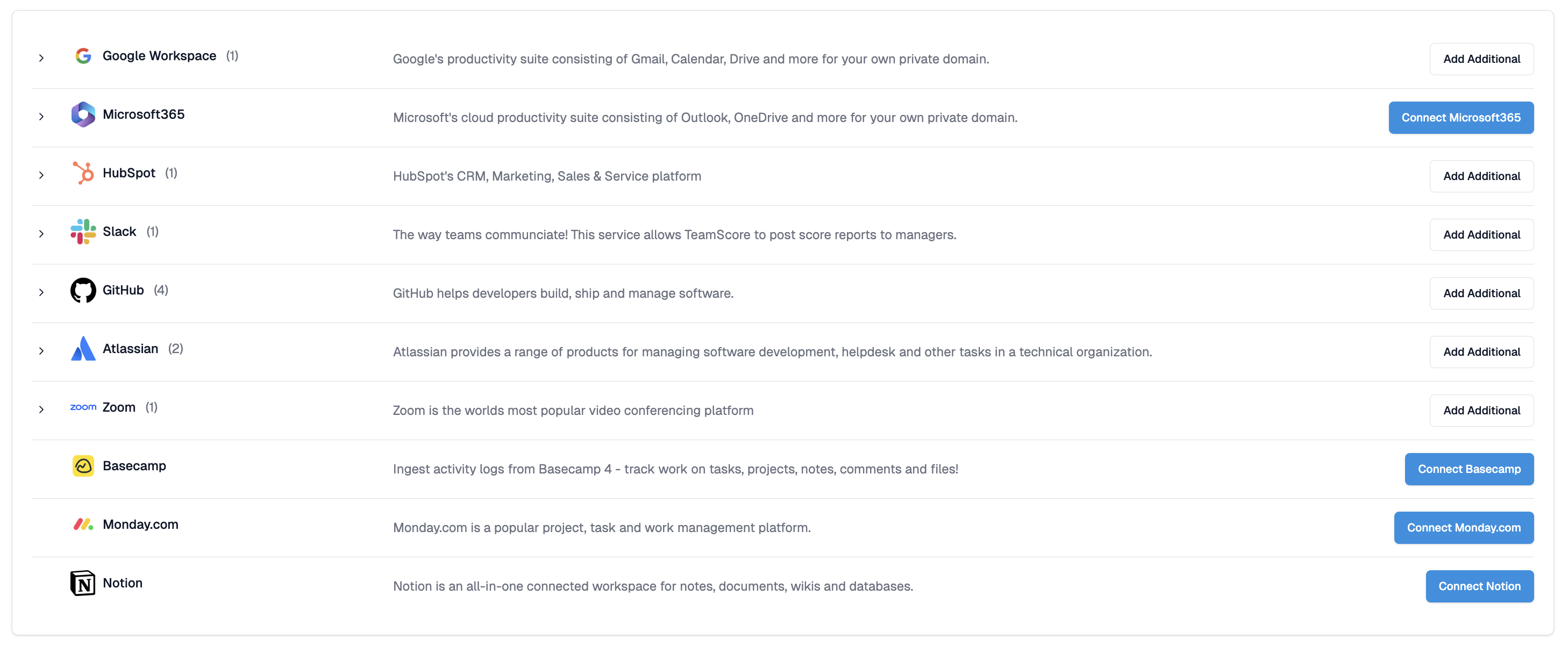
Connected Services shows every integration ClientSights supports, from Google Workspace and Microsoft 365 to GitHub, Slack, HubSpot, Zoom, and more. These integrations are the source of the activity signals ClientSights uses to generate Observer findings, daily reports, and answers to your chat questions.
You can reach it from Settings in the top navigation, then select Services.
Reading the List
Each row represents a service ClientSights can connect to. The service name, logo, and a short description appear on the left. The action button on the right shows the current status.
- Connect [Service] - no connection has been set up yet. Click to begin the authorisation flow.
- Add Additional - at least one connection already exists. Click to add another, which is useful for organisations with multiple instances of the same service.
Some services, particularly Google Workspace and Microsoft 365, contain multiple sub-components called features, such as Gmail, Calendar, Drive, Teams, and SharePoint. These appear as an expandable list beneath the main service row. Features do not require separate authentication and are managed within the main service connection.

Connecting a New Service
Click Connect for the service you want to add and complete the authorisation flow with the provider. Only Admins and Executives can authorise new connections.
Once connected, ClientSights begins processing activity from that service automatically. Where multiple connections exist for the same service, ClientSights merges the data intelligently to avoid duplicate activity imports.
Managing Existing Connections
If a connection owner leaves the organisation, an OAuth token expires, or access permissions change, a connection may need to be refreshed. An admin with access to the original service account can reconnect it from the Service Details page to update the access tokens.

Keeping connections active ensures ClientSights has the activity data it needs to generate findings and reports. A disconnected service means a gap in what ClientSights can see.
If a connected service becomes unreachable, for example because a subscription has lapsed, a trial has expired, or a plan has been downgraded, ClientSights will notify the connection owner and pause the connection automatically. The notification arrives via Slack, email, or in-app depending on your notification preferences. To resume, check the subscription status with the service provider and use the Refresh Connection button on the Service Details page.
Related Guides
Service Details - managing features, users, and connection status for a specific integration
Connecting Google Workspace - connecting your Google environment
Connecting Microsoft 365 - connecting your Microsoft environment
Notification Settings - controlling how ClientSights alerts you when a connection needs attention